Nextdoor: Neighborhood Network
Nextdoor, Inc.Lifestyle
4.692.21K Reviews
- Version
- 5.37.1
- Installs
- 10.00M
- Age Rating
- Teen
Screenshots

Our Review of Nextdoor: Neighborhood Network
 Analysis by Appyee
I came to Nextdoor: Neighborhood Network expecting a simple place to see what was happening nearby. After using it as a local information and conversation app, I found something more useful—and more complicated—than a typical social feed. It can connect you with people close to home, but its value depends heavily on how active and constructive your neighborhood is.
The app sits in the lifestyle category and is developed by Nextdoor, Inc. It is free to use, aimed at a Teen audience, and has reached more than ten million installs. Its average rating is 4.5 from roughly 429 thousand ratings, with about 91 thousand written reviews. Those figures suggest that many people find a regular place for it in their routine, although popularity does not guarantee that every local feed will be equally helpful.
My honest view is that this is best treated as a practical neighborhood noticeboard with social features, not as a replacement for every other communication tool. It can help you discover recommendations, follow local alerts, browse nearby listings, and notice events that might otherwise pass you by. It can also become noisy, repetitive, or frustrating if you expect immediate answers or a perfectly organized community.
Where the experience usually gets stuck
I find that the most useful way to approach a neighborhood feed is to separate a technical snag from a mismatch between what I need and what the community is sharing. In this section, I look at the moments when a post, reply, or alert stops being helpful and how I decide whether to adjust my approach or use another channel. That distinction makes the next setup checks more purposeful.
The value depends on your exact area
The first thing I would tell a new user is that the app does not feel the same everywhere. In one neighborhood, the feed may contain useful updates, thoughtful recommendations, and active discussions. In another, it may feel quiet or dominated by posts that are only loosely relevant. That is not necessarily a technical failure. A neighborhood network is shaped by the people who participate in it.
This makes the first impression unusually important. If you open the app during a slow period, you might assume there is nothing useful there. I found it more productive to give the feed time and to use it with a specific purpose: checking for local information, looking for a recommendation, or seeing what is happening close by. Browsing without a goal can make the service feel more cluttered than it really is.
Local conversations require patience
Another common sticking point is the difference between seeing a post and getting a useful answer. A question about a nearby service may attract several replies, but they may disagree or focus on personal experience rather than verifiable detail. For that reason, I would not rely on one comment alone when making an important decision.
A better approach is to treat replies as leads. If several people independently mention the same local business, that is more useful than one enthusiastic recommendation. I also pay attention to whether a response actually answers the question or simply turns into a wider argument. The app can surface local knowledge, but I still have to judge its quality.
Notifications can change the feel of the app
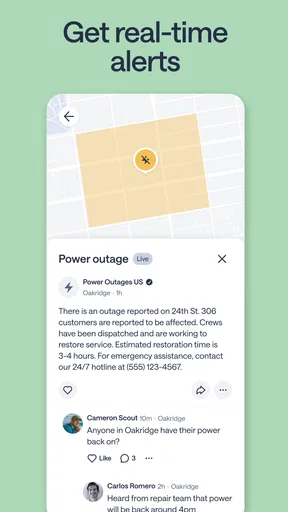
Neighborhood updates are useful when they arrive at the right moment, especially for time-sensitive local information. They are less welcome when every minor conversation feels urgent. If the app begins to compete with messages and other alerts on your phone, I recommend reviewing its notification choices rather than abandoning it immediately.
I prefer opening the app when I have time to read context instead of reacting to every prompt. That small habit makes the experience calmer and reduces the chance of treating a rumor or incomplete post as confirmed information. The service works better for me as a place to check deliberately than as a constant interruption.
Setup checks that make the first session smoother
Before I judge whether a local feed is worth returning to, I make a few small choices about what I want from it and what I am comfortable sharing. I also consider how I will sort urgent notices from casual conversation, since that changes how manageable the experience feels. The next section walks through those first-session habits and checks.
Start with a clear reason for joining
Before posting anything, I suggest deciding what you want from the app. Some people mainly want neighborhood alerts. Others care more about recommendations, local events, or the marketplace. Knowing your priority helps you recognize which parts of the feed deserve attention and which can be ignored.
For example, if you are moving into a new area, you might begin by observing the kinds of questions residents ask and the businesses they mention. If you are already settled, you may get more value from sharing a specific recommendation or checking local event information. A narrow starting goal is more useful than trying to participate in every conversation.
Check the basics before assuming the feed is broken
When content does not appear as expected, I start with simple checks. I confirm that the app is updated, that the device has a working internet connection, and that I am looking at the intended area rather than assuming every nearby place belongs to the same local conversation. Closing and reopening the app can also clear a temporary loading problem.
The current version is 5.26.4, and it supports devices running Android 8.0 or later. That matters if you are installing it on an older phone. If the device does not meet that requirement, changing settings inside the app will not solve the compatibility issue. On a supported device, keeping the operating system and app reasonably current is a sensible first step when screens behave strangely.
Be deliberate with your profile and posts
A local network feels more personal than a broad social platform because the audience is connected to a real place. I therefore think carefully before posting details that identify my routine, home, or absence. A useful neighborhood question does not need a full explanation of where I live or when I will be away.
I also try to write posts so that a neighbor can answer them quickly. Instead of saying that I need help with a vague problem, I explain what kind of recommendation I want and what matters to me. This improves the replies and prevents a simple request from turning into a long exchange that never reaches a practical conclusion.
Use the feed as a filter, not as a complete record
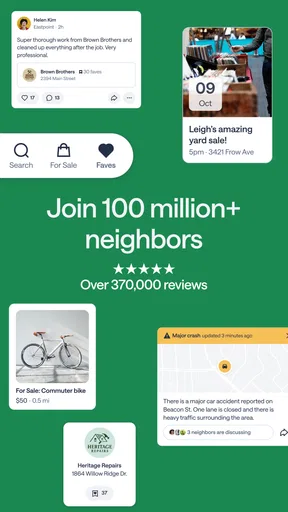
The app brings several kinds of local content together, including alerts, news, recommendations, marketplace activity, and events. That range is convenient, but it also means that not every item has the same urgency or reliability. I mentally separate immediate information from casual discussion and from personal opinion.
This is one of the most important setup habits: do not assume that a prominent post is automatically the most important one. Read enough context to understand what is being claimed, when it happened, and whether the author is sharing direct knowledge or repeating something heard elsewhere.
Recovering when a workflow goes wrong
When a post gets no replies or a listing goes nowhere, I try to recover the useful part of the task rather than repeating the same action. A clearer question, a different contact method, or a decision to move on can save time; the right response depends on whether the matter is urgent or simply exploratory. I also keep in mind that some apparent failures have causes outside the app itself.
When a post receives no useful response
If a question disappears without an answer, I do not immediately repost it several times. First, I check whether the wording is too broad, whether it belongs in a more suitable local conversation, or whether the request needs a detail that would help neighbors respond. A short follow-up can be more effective than starting over.
Timing can matter as well. A quiet feed may simply mean that fewer people are checking it at that moment. If the matter is urgent, I would use a more direct and dependable contact method instead of waiting for a neighborhood discussion to develop. The app is useful for local discovery, but it should not be the only channel for something that cannot wait.
When a discussion becomes unproductive
Local conversations can become personal surprisingly quickly. When that happens, I find it better to stop defending a minor point and focus on the practical information I originally needed. Reading every reply can consume more time than the issue deserves, especially when the discussion has moved away from the original question.
I also avoid treating a confident tone as proof. A neighbor may genuinely believe something and still be mistaken. For recommendations, I look for specific experiences, clear explanations, and more than one perspective. For safety-related information, I prefer confirmation from an appropriate official source rather than relying on a rapidly changing thread.
When marketplace activity does not work as expected
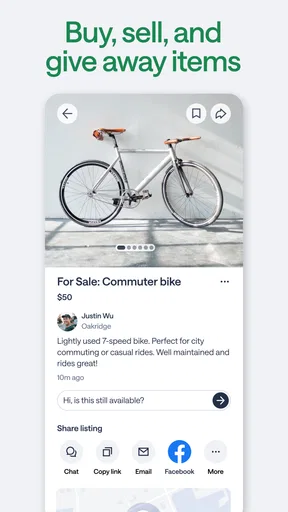
The marketplace can be convenient for discovering nearby items, but local listings require the same caution as any person-to-person exchange. I would keep communication focused, avoid sharing unnecessary personal information, and choose a sensible public arrangement for an in-person meeting. The convenience of seeing something nearby should not remove ordinary judgment.
If an item is no longer available, a seller does not respond, or the details are unclear, I move on rather than spending too much time trying to rescue the listing. This is a practical trade-off of local marketplaces: proximity can make an offer attractive, but it does not guarantee reliability, condition, or a smooth transaction.
When alerts seem repetitive or irrelevant
Repeated content can make the app feel less useful, particularly when several people post about the same local matter. I handle this by reading one clear version carefully and then skipping duplicates. If I react to every copy, the feed becomes more tiring without giving me more information.
It is also worth remembering that local relevance is personal. A road issue may matter greatly to one resident and not at all to another. I judge the app by whether it helps me notice information I would genuinely use, not by whether every item matches my interests.
When the app is not the cause
A feed can feel empty, delayed, or off-topic even when the app is functioning normally, because local participation and the nature of a conversation shape what appears. I find it helpful to ask whether the problem is a temporary loading issue, an inactive neighborhood, or simply the wrong tool for the job. The next section considers those situations and when I would choose another source instead.
A quiet neighborhood may simply be quiet
If there are few posts, the problem may not be the application. Some communities participate heavily in online neighborhood discussions, while others rely on established groups, messaging, noticeboards, or word of mouth. In that situation, installing the app cannot create a conversation by itself.
I would give it a fair trial by checking at different times and looking at more than one part of the service. If the local area remains inactive and I have no specific reason to return, a general social network or a direct community group may suit me better. The right alternative depends on whether I need broad reach, private conversation, or officially confirmed information.
Local recommendations are not professional verification
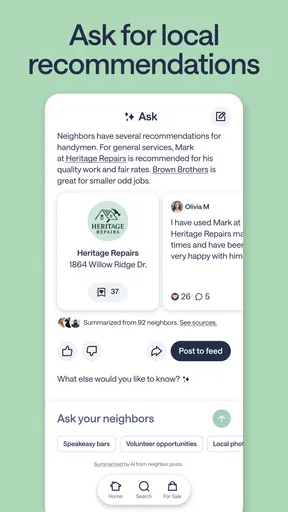
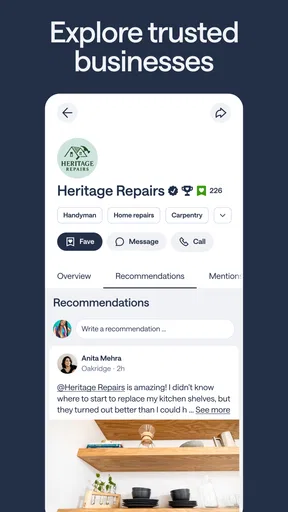
One of the app’s strengths is that neighbors can share experiences that are difficult to find in a generic search. The weakness is that personal recommendations are naturally uneven. Someone may praise a service because of one excellent visit, while another person had a completely different experience.
I use the app to build a shortlist, then check the details through the business itself or another dependable source. This is especially important for repairs, childcare, health-related services, or anything involving significant cost. A neighborhood opinion can point me in the right direction, but it should not replace careful checking.
Events are useful only if the details are current
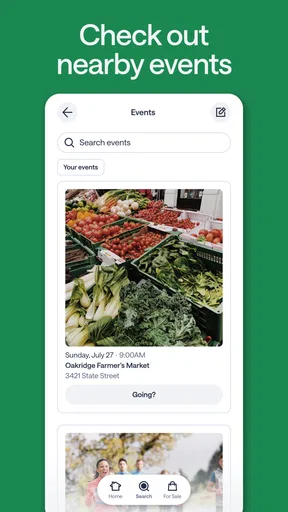
Local events are one of the more pleasant reasons to browse. They can help a new resident find activities and give established residents a way to discover something close to home. Still, event information can change, so I look for the latest details before making a trip.
If the event matters, I verify the time, location, and any entry requirements using the organizer’s own communication. This is not a criticism unique to the app; it is simply the sensible way to handle information that can change after a post is published.
It is not the best choice for every kind of communication
I would not choose this app for private conversations that need a small, controlled audience, nor would I use it as my only source for emergency instructions. A private messaging service is usually better when I already know the people involved. An official local channel is better when accuracy and authority matter more than community discussion.
Likewise, people who dislike neighborhood debate or who want a carefully curated feed may find the experience tiring. The app’s appeal comes from local participation, and that same quality brings differing opinions, uneven writing, and occasional distractions.
My practical verdict after using it
Nextdoor: Neighborhood Network works best when I use it as a local radar: a way to notice what neighbors are discussing, find leads, discover nearby events, and learn about services through personal experience. Its strongest feature is not any single section, but the combination of several local signals in one place.
The trade-off is that the quality of those signals depends on participation and judgment. A lively neighborhood can make the app genuinely useful, while a quiet or argumentative one can make it feel like extra noise. I would not install it expecting an instant answer to every question. I would install it if I wanted a broader view of what is happening around me and was willing to filter what I saw.
For a realistic everyday example, imagine that I need a local repair recommendation, want to know whether a nearby event is worth attending, and have noticed an issue that affects several streets. I can use the app to ask a focused question, compare several experiences, and see whether others are discussing the same issue. I still verify important details elsewhere, but the initial discovery happens faster than searching blindly.
My most useful habit is to separate discovery from decision-making. I let the app show me possibilities, then I check the information that affects money, safety, privacy, or travel. That approach preserves the convenience without giving every post more authority than it deserves.
On the technical side, the app is free, and its age rating is Teen. The developer is Nextdoor, Inc., and the service has been available since August 21, 2013. Its long presence and large user base make it more likely that some areas will have an established community, but they do not remove the local variation that defines the experience.
My recommendation is conditional but positive: try it if local awareness, neighbor recommendations, and nearby activity matter to you. Give it a clear purpose, adjust your attention to avoid notification fatigue, and verify consequential information. Skip it if you want a private, tightly moderated conversation space or if your neighborhood has little participation. For the right user, it is a practical window into nearby life; for everyone else, it may be another feed asking to be filtered.
Privacy and Permissions
See what permissions an app requests and how it handles your data.
- Contacts
- read your contacts
- Location
- approximate location (network-based), precise location (GPS and network-based)
- Photos/Media/Files
- read the contents of your USB storage, modify or delete the contents of your USB storage
- Storage
- read the contents of your USB storage, modify or delete the contents of your USB storage
- Camera
- take pictures and videos
- Microphone
- record audio
- Wi-Fi connection information
- view Wi-Fi connections
- Other
- view network connections, connect and disconnect from Wi-Fi, full network access, run at startup, draw over other apps, control vibration, prevent device from sleeping, read Google service configuration
Verdict
Strengths of Nextdoor: Neighborhood Network
- Useful for local recommendations, alerts, and neighborhood updates.
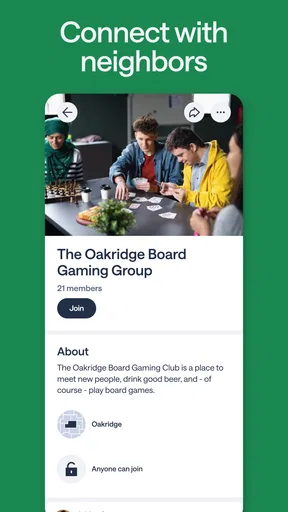
- Helps users discover nearby events, groups, and community activities.
- Simple interface makes posting and browsing local content easy.
- Can support lost-and-found notices and local safety communication.
- Available on both Android and iOS devices.
Limitations of Nextdoor: Neighborhood Network
- Content quality depends heavily on how active your neighborhood is.
- Discussions can become repetitive, argumentative, or overly negative.
- Some features and posts may feel cluttered by promotional content.
- Sharing location-based details may raise privacy concerns for some users.
- Notifications can become frequent unless carefully customized.
Similar Picks in This Category
View All
SmartThings
Samsung Electronics Co., Ltd.4.6

Google Home
Google LLC4.0

Pinterest4.2

Astrotalk - Talk to Astrologer
Astrology & Horoscope4.7

My Verizon
Verizon Consumer Group4.5

Samsung Wallet (Samsung Pay)
Samsung Electronics Co., Ltd.4.1
Frequently Asked Questions
What is Nextdoor: Neighborhood Network used for?
Nextdoor is a location-based social networking app designed to connect people who live in the same neighborhood. After joining, you can read local posts, ask for recommendations, report community concerns, share announcements, find lost pets, discover nearby events, and communicate with neighbors. The experience is focused on local information rather than general social networking, so the usefulness of the app depends heavily on how active and engaged your neighborhood is.
Is Nextdoor free to download and use?
Yes, Nextdoor can generally be downloaded and used without paying a subscription fee. You can create a neighborhood profile, view local conversations, publish posts, and interact with other members at no direct cost. However, the app includes advertising and may promote local businesses, services, or sponsored content. Some optional features, promotions, or services can vary by region, so it is worth checking the current terms and store listing before downloading.
Does Nextdoor verify that users live in the neighborhood they join?
Nextdoor uses location and address-based verification methods to help confirm that members are connected to a particular neighborhood. Depending on your area, verification may involve an address, phone number, email, or another available method. This system is intended to keep discussions local, but no online verification process is perfect. You should still avoid sharing sensitive personal details and remain cautious when communicating with people you do not know personally.
Is Nextdoor safe for sharing personal information and meeting neighbors?
Nextdoor provides privacy controls, reporting tools, and moderation features, but users should still treat it like any other social platform. Avoid posting your full address, financial information, passwords, travel plans, or details that could identify when your home is empty. If arranging a sale, service, or in-person meeting, choose a public location when possible, verify the other person’s identity, and trust your judgment if a conversation or request seems suspicious.
What are the main disadvantages of using Nextdoor?
The biggest disadvantage is that the quality of the experience depends on local participation and moderation. Some neighborhoods have useful, friendly discussions, while others may contain repetitive complaints, arguments, rumors, advertisements, or posts that are not especially relevant. Notifications can also become frequent unless you adjust them in the settings. Before downloading, consider whether you want a highly local community feed and whether you are comfortable managing privacy, alerts, and occasional negative interactions.
